AI Workflows That Actually Move Work Forward
Most businesses do not need more software. They need sharper workflows that remove manual work, connect scattered tools, and help teams move faster.

Most AI work should start with the workflow
A lot of companies approach AI backwards.
They start with the tool. They look at ChatGPT, Zapier, Make, n8n, custom agents, dashboards, internal apps, CRMs, support platforms, and every new product promising to save the business. Then they try to force those tools into the company.
That usually creates more noise.
The better starting point is the workflow. What is the team doing every week that is slow, repetitive, inconsistent, or overly dependent on one person? Where does information get copied from one place to another? Where do leads, customers, tasks, invoices, reports, or requests get stuck?
That is where AI and automation become useful.
Not as a gimmick. Not as a chatbot floating in the corner of a website. As a practical layer that helps the business move work from one step to the next with less friction.
Automation is not just about saving time
Saving time is the obvious benefit, but it is rarely the whole story.
A good workflow automation does more than remove a manual task. It creates consistency. It makes sure the same input triggers the same process every time. It reduces the chances of someone forgetting a step because they were busy, distracted, or buried in other work.
That matters because most operational problems are not dramatic. They are small leaks.
A lead comes in and nobody follows up fast enough. A support request gets answered, but never tagged. A sales call happens, but the notes never make it into the CRM. A customer fills out a form, but the next action depends on someone manually checking a spreadsheet.
None of these problems look huge in isolation. Together, they quietly slow the business down.
Start with the work people repeat
The easiest place to find automation opportunities is the work people already hate doing.
Look for tasks that are:
- repeated daily or weekly
- based on clear rules
- moved between multiple tools
- easy to forget
- dependent on copy and paste
- tied to follow-ups, reminders, or status updates
- valuable, but not a good use of human attention
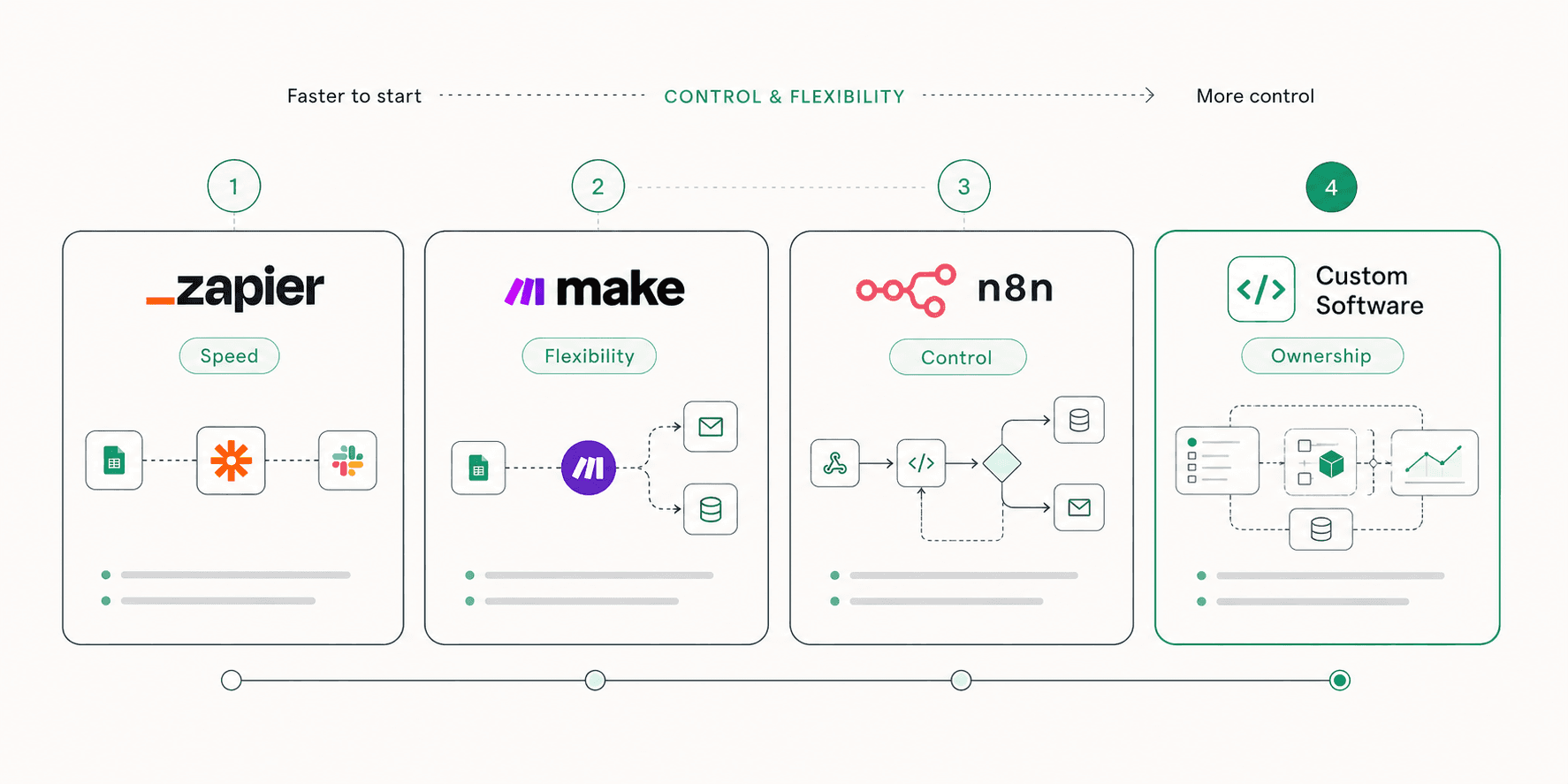
This is where tools like Zapier, Make, and n8n are useful. They can connect the software a company already uses and automate the steps that do not need to be custom-built from scratch.
For example, a simple workflow might take a new form submission, enrich the lead, create a CRM record, notify the right person, send an internal summary, and trigger a follow-up sequence.
That is not futuristic. It is just useful.
Simple is usually the right place to start
Most businesses do not need a fully custom AI platform on day one. They need one or two high-friction workflows cleaned up properly, then expanded once the value is obvious.
Where AI makes the workflow smarter
Traditional automation is great when the rules are clear.
If this happens, do that.
AI becomes useful when the workflow needs interpretation, classification, summarization, drafting, or decision support.
That could mean:
- summarizing sales calls and pushing key points into a CRM
- classifying support tickets by urgency and topic
- drafting replies for common customer questions
- extracting useful information from long emails or PDFs
- turning messy form submissions into clean internal briefs
- generating follow-up tasks after a client meeting
- reviewing incoming leads and routing them based on fit
- creating first-draft reports from scattered business data
The important part is that AI should sit inside a real process.
An AI summary is useful when it gets saved somewhere, assigned to someone, and connected to the next action. A generated email draft is useful when it fits the company’s tone, uses the right customer context, and gets reviewed before sending.
AI is not valuable because it produces text. It is valuable when it helps work move forward.
The difference between a workflow and a system
A workflow is a sequence of steps.
A system is what happens when those steps are reliable, documented, measurable, and connected to the rest of the business.
That difference matters.
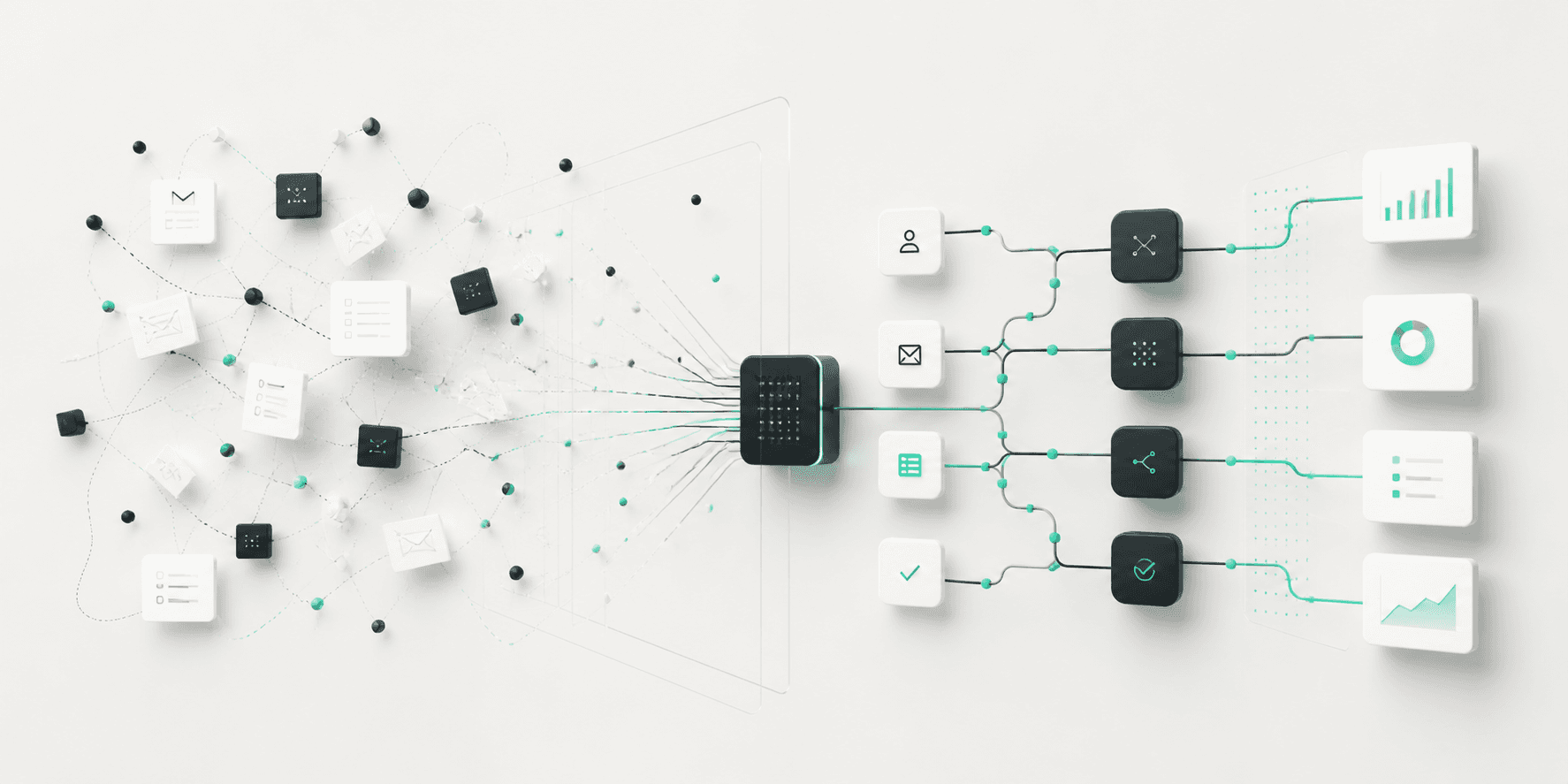
A workflow might send a Slack message when someone fills out a form. A system scores the lead, creates the CRM record, notifies the right person, prepares a follow-up, tracks whether anyone responded, and gives leadership visibility into what happened.
The second version is more valuable because it does not just automate one task. It improves the way the business operates.
That is usually where custom software starts to make sense.
No-code and low-code tools are excellent for moving quickly, especially at the beginning. But once the workflow becomes central to revenue, operations, customer experience, or reporting, the business may need something more bespoke.
That could be a custom dashboard, an internal portal, an AI-powered app, a backend service, or a full-stack platform designed around the company’s exact process.
What a strong AI workflow should include
A proper AI workflow should be practical before it is impressive.
It should have a clear trigger, a clear owner, a clear output, and a clear reason to exist.
Before building anything, ask:
What starts the workflow?
This could be a form submission, a new lead, an uploaded file, a completed call, an incoming email, a support ticket, a paid order, or a manual button pressed by a team member.
The trigger matters because vague workflows break quickly.
What decision needs to happen?
Some workflows only move data. Others need logic.
Should this lead go to sales or support? Should this customer receive a follow-up? Should this ticket be escalated? Should this document be summarized, reviewed, or stored?
AI is most useful when the workflow needs a judgment call that follows a pattern.
What should happen next?
The workflow should create momentum.
That might mean sending a message, updating a database, creating a task, generating a draft, notifying a person, scheduling a reminder, or moving a record into the next stage.
The final output should be something the team can actually use.
Where does the information live?
A workflow is only helpful if the output goes to the right place.
If an AI tool creates a great summary but it stays inside a disconnected chat window, the business still has an operations problem. The output needs to land inside the tools the team already uses, whether that is a CRM, project management tool, inbox, spreadsheet, dashboard, or custom app.
Common mistake: automating a messy process too early
Automation exposes messy processes.
If the company does not know who owns a task, what the correct input should be, or what happens after the output is created, automation will not fix that. It will just move the confusion faster.
Before automating, the process needs to be cleaned up enough to make sense.
That does not mean spending months documenting everything. It means answering a few basic questions:
- What is the current process?
- Which steps are repetitive?
- Which steps require human judgment?
- Which steps create the most delay?
- What does a successful outcome look like?
- Who needs to approve or review the output?
- Where should the final result be stored?
Once those answers are clear, automation becomes much easier to design.
Bad process in, bad process out
AI can make a good workflow faster, but it will not magically turn a broken process into a reliable system. The process still needs structure.
A practical example
Imagine a company receives a steady stream of inbound leads through its website.
The old process looks like this:
A form submission lands in an inbox. Someone checks it manually. They copy the information into a CRM. They skim the message to understand what the person wants. They decide whether the lead is relevant. If it looks promising, they write a reply. If they are busy, the lead waits.
A better workflow could look like this:
The form submission triggers an automation. The lead is added to the CRM. AI summarizes the request, identifies the likely service category, and flags urgency. The system notifies the right team member with a clean internal brief. A draft reply is prepared using the company’s tone and service context. A follow-up task is created automatically if nobody responds within a set time.
The team still owns the relationship. They still review the response. They still make the important decisions.
But the workflow removes the drag around the work.
That is the real value.
When to use Zapier, Make, or n8n
Not every workflow needs a custom build.
Zapier is often a strong fit when the workflow is straightforward, the tools are common, and the goal is to move quickly. It is useful for connecting apps, handling simple automations, and getting something live without a long development cycle.
Make gives more flexibility for visual workflows with branching logic, formatting, and multi-step operations. It can be a good fit when the workflow needs more control but still does not justify a custom application.
n8n is useful when the business wants more control, deeper customization, self-hosting options, or more technical workflow logic. It can sit somewhere between no-code automation and a fully custom backend.
The right choice depends on the business, the process, the tools involved, and how critical the workflow is.
The goal is not to use the most advanced tool. The goal is to build the cleanest path from problem to outcome.
When custom software makes sense
Custom software makes sense when the workflow becomes too important, too specific, or too complex for off-the-shelf automation alone.
That usually happens when:
- the workflow touches sensitive business logic
- the company needs a custom interface
- several teams need different permissions or views
- the process depends on proprietary data
- the business needs deeper reporting
- the workflow needs to scale beyond simple task automation
- existing tools are forcing the team into awkward workarounds
This is where a custom AI system, internal app, or full-stack platform can create real leverage.
Instead of stitching together a fragile chain of tools, the business gets a system designed around how the team actually works.
The best systems feel boring
The strongest AI workflows usually do not feel like magic.
They feel obvious after they exist.
A customer request gets routed properly. A lead gets followed up on. A report builds itself. A document gets summarized. A team member gets the right context before a call. A repetitive task disappears from someone’s week.
That is the point.
Good systems do not need to announce themselves. They reduce friction quietly and consistently.
Final thought
AI workflows are not about replacing people with software.
They are about removing the low-value work that keeps people from doing their best work.
For most growing businesses, the opportunity is not to build something wildly complex on day one. It is to identify the manual processes slowing the team down, clean them up, and use the right mix of automation, AI, and custom software to make the business move faster.
That is where AI becomes practical.
Not as a trend.
As infrastructure for better work.
Want help turning ideas like this into product, design, or growth systems?
Talk with Avalency about landing pages, product design, development, and AI workflows.